Designing Scalable Boards on Monday.com
How to design scalable Monday.com systems by understanding board limits and architectural trade-offs.
Why Item Limits Matter More Than You Think
On Monday.com, boards are not passive tables.
They are live execution layers—powering automations, ownership, permissions, dashboards, and integrations.
When boards grow without structure, teams experience:
- Sluggish load times
- Automations silently failing
- Mirror columns timing out
- Permission complexity spiraling
- Boards that become impossible to refactor safely
Item limits aren't an inconvenience. They're a system design constraint that forces better architecture.
If a board must grow forever to function, the system is already broken.
Important Nuance: "Monday.com Is a Database" vs "Boards Aren't Databases"
In a previous tutorial, we said:
"Why Monday.com Is a Database: Monday.com is not just a project management tool—it is a database with a user interface. Once you internalize this, your entire approach to boards, automations, and scaling changes."
That statement is still true — and this article does not contradict it.
The nuance is this:
Monday.com behaves like a database at the platform level
Meaning:
- It stores structured records (items)
- It enforces schemas (columns)
- It supports relationships (connect boards)
- It enables queries/aggregation (dashboards, filters, API)
- It can act as a system of record for operational data
But a single board should not be treated like an infinite database table
Because boards are also:
- A user interface
- A workflow engine
- A collaboration surface
- An automation execution environment
So the correct mental model is:
Monday.com is a database with a user interface. Boards are the "views" and "workflows" you build on top of that database.
When people get into trouble, it's usually because they collapse everything into one place:
- one mega-board
- one schema
- one never-ending timeline
That's not "database thinking." That's anti-architecture.
The Core Mental Model: Boards Are Operational Views — Not Infinite Storage
A board is best understood as:
- A bounded slice of work
- Designed for a specific team and lifecycle stage
- With a clear definition of "done"
- With an exit path (move/close/archive)
So while Monday.com as a platform can function like a database, your boards should function like operational workspaces.
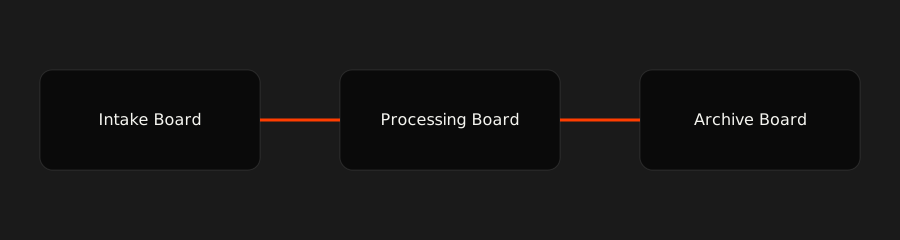
Pattern 1: Intake → Processing → Archive
The Foundation of Scalable Monday.com Systems
This single pattern solves most board limit and performance issues.
How it works
1) Intake Board
- Forms
- Minimal columns
- High velocity
- Low friction
2) Processing Board
- Ownership
- Status logic
- Automations
- SLAs
- Business rules
3) Archive Board
- Read-only (or limited edits)
- No automations
- Historical storage
- Keeps operational boards lean
The best systems are designed with movement.
Items flow through stages, and the system stays fast.
Pattern 2: Lifecycle Segmentation
One Flow, Multiple Boards
Instead of one massive board:
"CRM – Everything Since 2019"
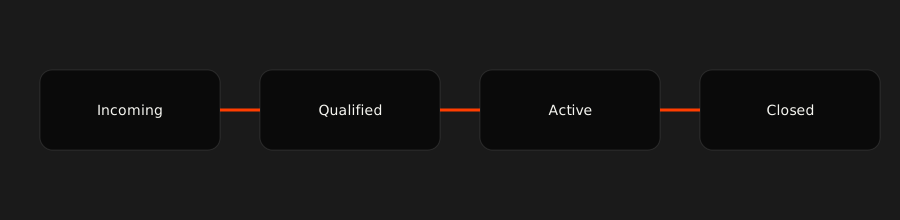
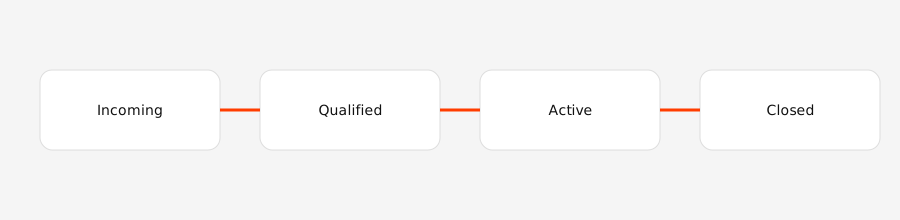
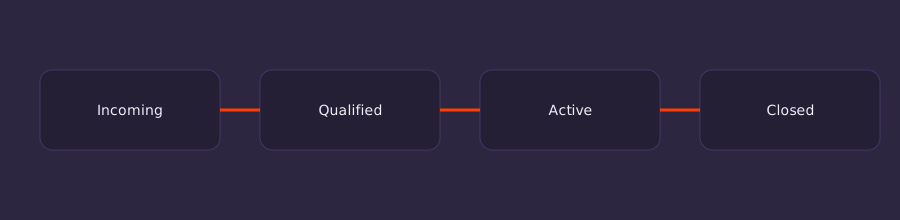
Use lifecycle-specific boards:
- Leads – Incoming
- Leads – Qualified
- Deals – Active
- Deals – Closed (Archive)
Each board:
- Stays under item limits
- Has purpose-built columns
- Supports simpler automations
- Is easier to refactor safely
This is still "database thinking."
It's just good database thinking: partitioning, normalization, and views.
Pattern 3: Reference Boards
Stable Data Only
Reference boards store entities, not events.
Good candidates
- Clients
- Vendors
- Employees
- Locations
Bad candidates
- Activity logs
- Transactions
- Status histories
If it changes frequently, it doesn't belong in a reference board.
When to Go External (And Why That's Smart)
Some data should never live in Monday.com:
- High-volume logs
- Financial line items
- Telemetry / event streams
- Anything where "history" is the primary requirement
Use:
- Make.com
- Postgres / Supabase
- Data warehouses
Then sync only actionable summaries back into Monday.
Monday.com should answer: "What needs attention right now?" Not: "Everything that ever happened."
Board Design Guardrails
Always
- Auto-move closed items
- Time-box operational boards
- Aggregate with dashboards
- Design for archiving from day one
Never
- One board forever
- Mirror thousands of items casually
- Use subitems as a scaling strategy
- Treat item limits as negotiable
Final Takeaway
Here's the one-liner that resolves the apparent contradiction:
Monday.com is a database with a user interface. Boards are the operational workflows and views you design on top of it.
If you internalize that, you'll build systems that:
- scale cleanly,
- stay fast,
- and don't collapse under their own history.