How to scale work across departments without turning your account into spaghetti
When multiple teams share monday.com, the biggest risk isn't "too many boards"—it's unclear ownership, messy handoffs, duplicate data, and permission chaos. This tutorial gives you a practical, repeatable architecture for designing workspaces that scale across Sales, Delivery, Ops, Product, and Leadership.
What "Multi-Team Workspace Design" Actually Means
A multi-team design answers these questions clearly:
- Where does work enter the system? (intake)
- Where is work executed? (delivery/processing)
- Where do teams collaborate cross-functionally? (shared programs)
- Who owns the truth of key records? (clients, projects, assets, tickets)
- Who can see vs edit what? (permissions & governance)
- How do dashboards roll up reporting without copying data? (portfolio layer)
If you don't design for these up front, you'll end up with:
- 6 versions of "Client Name" scattered across boards
- Teams building their own intake forms
- Leadership dashboards that don't match reality
- Accidental edits to "global" boards
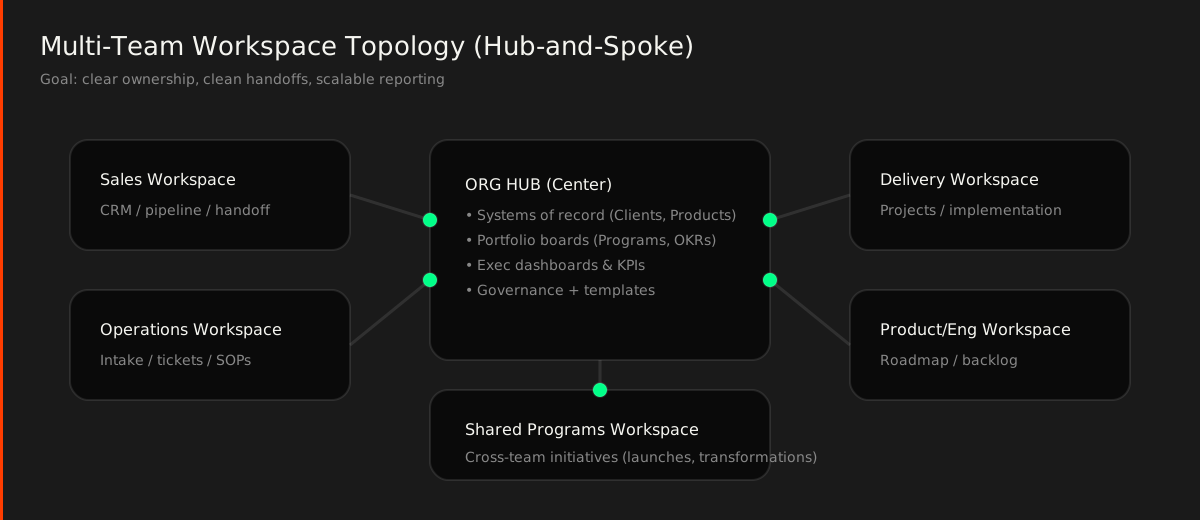
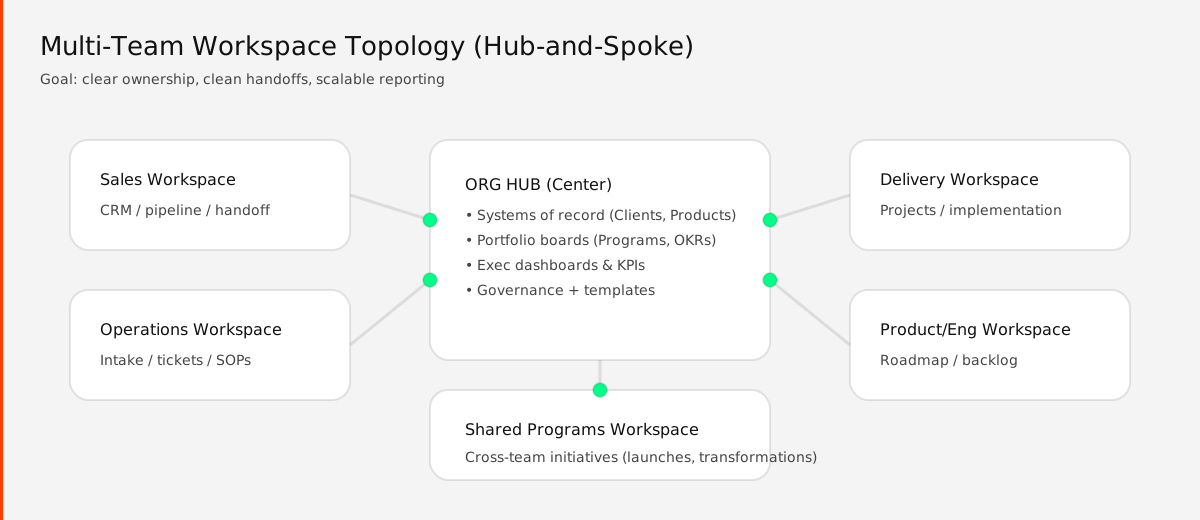
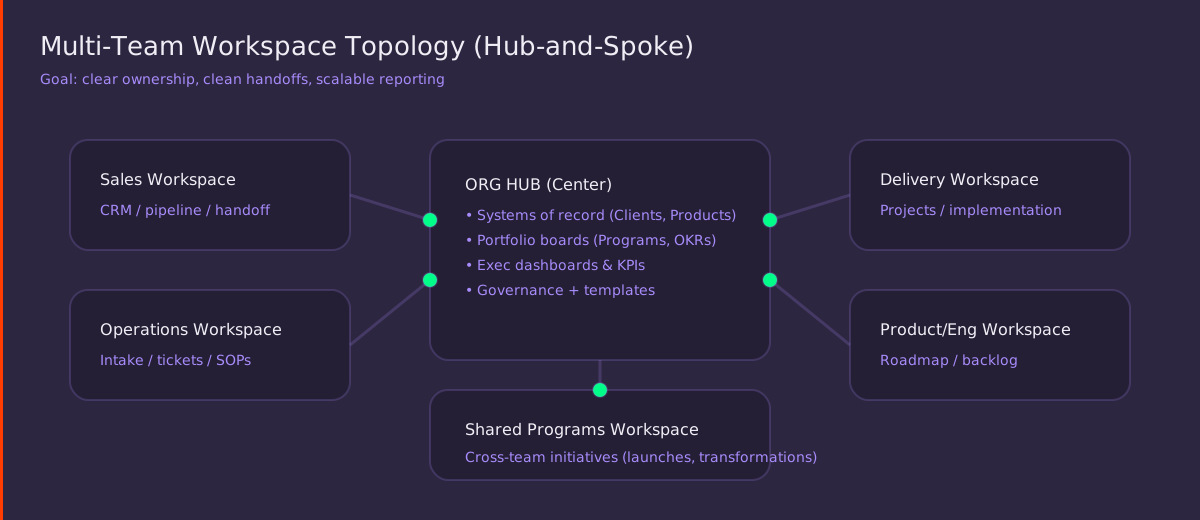
The Core Pattern: Hub-and-Spoke Workspace Topology
The cleanest multi-team structure is:
- Team Workspaces (Spokes): each team owns execution boards
- Shared/Program Workspaces: cross-team initiatives and shared delivery
- Org Hub (Center): global "systems of record" + reporting/portfolio
Step 1: Define Your "Systems of Record" Boards
These are boards that should be treated like authoritative data sources (not just "another board"). Common examples:
- Clients / Accounts
- Products / Services
- Vendors / Partners
- Employees / Contractors
- Locations / Properties
- Initiatives / OKRs / Programs
Rule: A system-of-record board should be stable, tightly permissioned, and changed deliberately.
Practical Setup
- Put these boards in the Org Hub workspace
- Create a consistent column set (Owner, Status, Region, Segment, etc.)
- Use Connect boards + Mirror columns everywhere else (avoid retyping key fields)
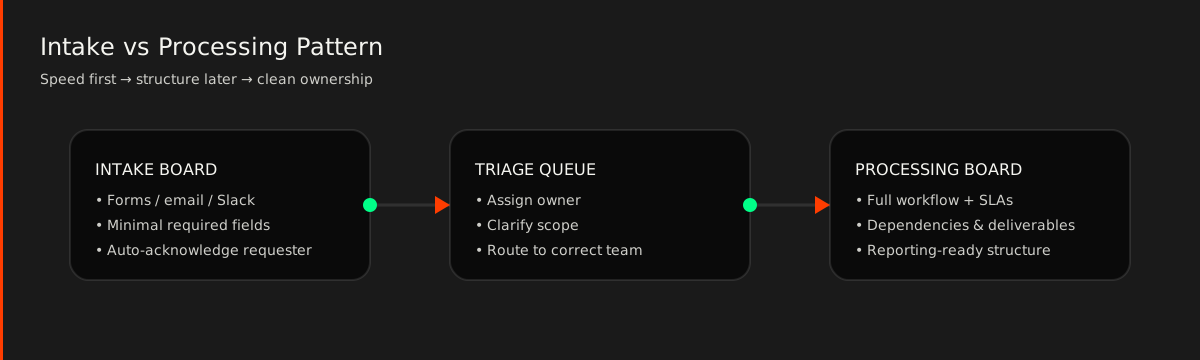
Step 2: Separate "Intake" from "Processing" (Always)
Intake needs to be fast. Processing needs to be structured.
If you try to do both on one board, you'll get:
- Messy statuses that mean different things to different teams
- Too many columns because every team adds "just one more field"
- Low adoption ("this board is annoying")
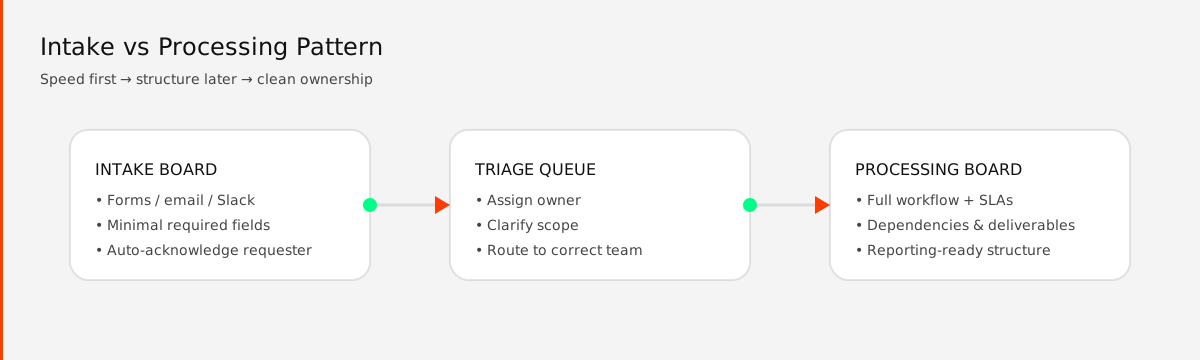
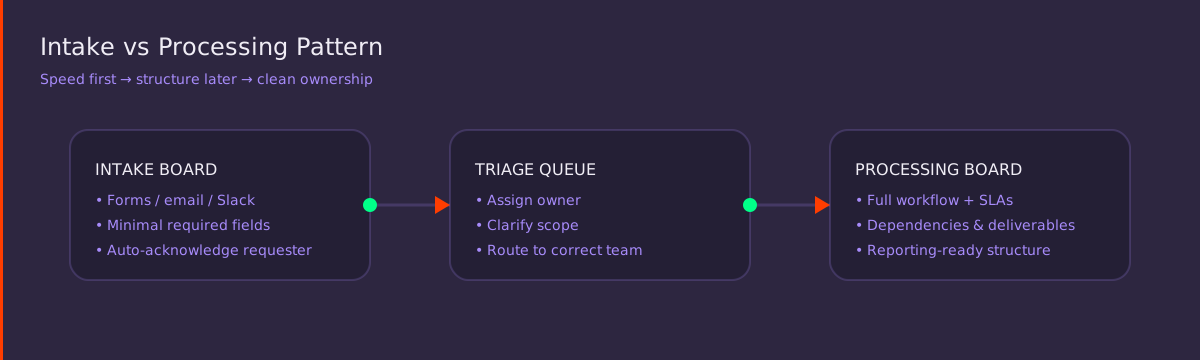
How to Implement in monday.com (Fast)
Create Intake board (in Ops or Shared workspace)
Add Form View with only the essentials:
- Request type (dropdown)
- Short description
- Client/department
- Priority
- Requested date
Create Triage group or a dedicated Triage board
In triage, use automations:
- When item created → set status "New"
- When status changes to "Accepted" → create item in Processing board
- When status changes to "Need Info" → notify requester
Step 3: Decide What Belongs in Team Workspaces vs Shared Workspaces
A Simple Rule of Thumb
- Team workspace: work mostly done by one team, using that team's language
- Shared workspace: shared deliverables, shared dates, shared accountability
Examples
| Workspace | Contents |
|---|---|
| Sales workspace | Leads, deals, account plans |
| Delivery workspace | Client projects, implementation plans |
| Shared programs workspace | Product launch, cross-team rollout, ISO compliance program |
Step 4: Standardize Board Roles (So Every Board Isn't Unique)
A scalable multi-team system uses repeatable board types.
Recommended Board Types
| Board Type | Location |
|---|---|
| System of Record board | Hub |
| Intake board | Shared/Ops |
| Processing board | Team |
| Program board | Shared |
| Portfolio board | Hub |
| Knowledge/SOP board | Ops/Hub (often view-only) |
If you label boards consistently (even just in naming), training becomes dramatically easier.
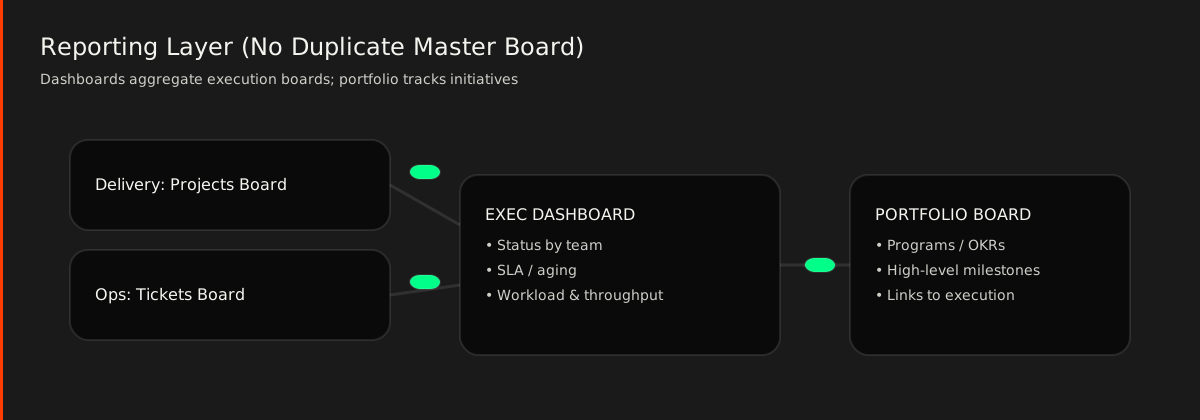
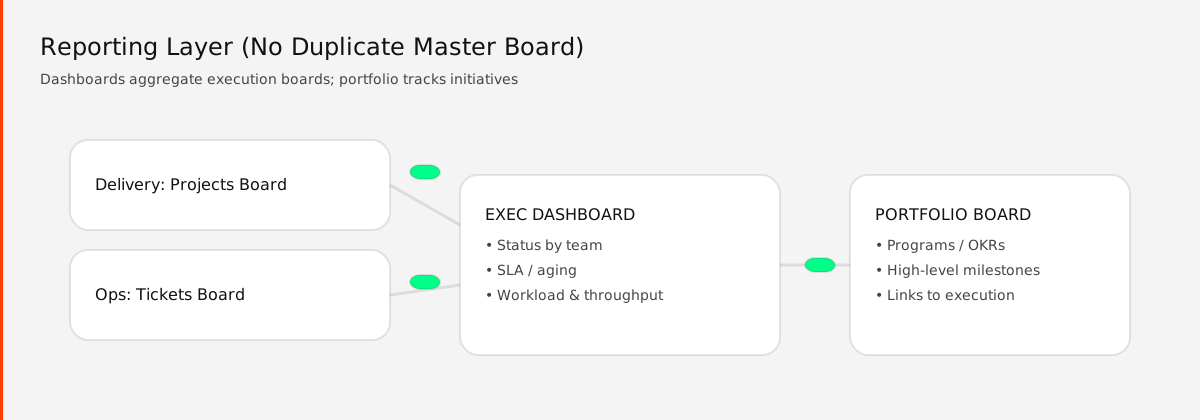
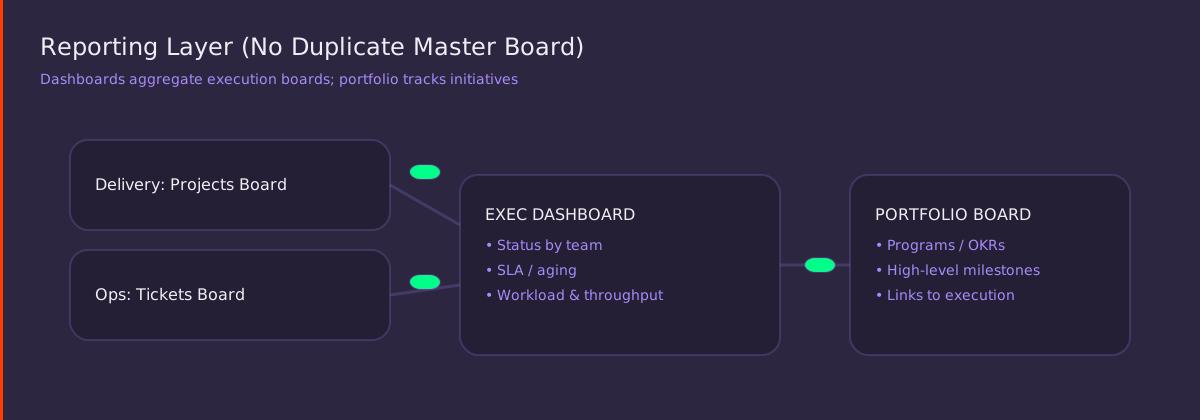
Step 5: Use a Portfolio Layer for Reporting (Not Duplicated "Master Boards")
Leadership typically wants:
- Status across all work
- Workload by team
- Delivery timelines
- SLA compliance
The mistake is creating a "MASTER PROJECTS BOARD" and forcing everyone to update it.
Instead:
- Keep execution in team processing boards
- Roll up using:
- Dashboards (multiple boards)
- Connected boards + Mirror
- Portfolio boards that reference initiatives (not every task)
Step 6: Permissions Strategy That Doesn't Slow Teams Down
Permissions are where most multi-team setups break.
Recommended Permission Tiers
| Tier | Use Case | Access Level |
|---|---|---|
| Tier A — Public | Team execution | People can collaborate without friction |
| Tier B — Controlled | Shared programs | Editing limited to program team; others can view/comment |
| Tier C — Restricted | Systems of record | Only specific owners can edit; everyone else connects + mirrors |
High-Leverage Tip
Use board ownership and template governance so teams can move fast without inventing new structures each time.
Step 7: The "Shared Columns" Contract (Stop Reinventing Language)
Across teams, standardize a small set of shared concepts so dashboards and rollups actually work:
- Owner (People column)
- Status (standard set)
- Priority
- Due date
- Client / Account (connected to Clients board)
- Team (dropdown)
- Intake source (optional)
- SLA / aging (formula or date tracking)
Don't standardize everything—just the minimum viable contract.
Step 8: Cross-Team Handoffs Using Connect Boards (Without Duplicating Items)
Common Handoff Patterns
Pattern A — "Create item in destination"
From Triage → create item in team processing board, and store the linked item back (so you can track lifecycle)
Pattern B — "Single item, multiple teams via subitems"
Great for service delivery where teams contribute sequentially (Sales → Delivery → CS)
Pattern C — "Program board links to team boards"
Program tracks milestones; execution stays in team boards
Common Pitfalls (And How to Avoid Them)
| Pitfall | Consequence |
|---|---|
| One workspace for everything | Becomes unmanageable; permission fights |
| A master board for all tasks | Forces unnatural workflows; teams stop updating |
| Systems-of-record living inside team workspaces | Breaks cross-team reuse |
| Too many status labels | Reporting becomes meaningless |
| Copy/paste instead of connect/mirror | Duplicate data & mismatched dashboards |
A Practical "Starter Blueprint" You Can Copy
Workspaces
ORG HUB
- Clients (system of record)
- Products/Services
- Portfolio / OKRs
- Executive dashboards
- Templates & governance
SHARED PROGRAMS
- Cross-team initiatives
- Launches / transformations
- Risk & decision log
SALES
- Pipeline, accounts, handoff board
DELIVERY
- Projects, resourcing, delivery backlog
OPS
- Intake, triage, support tickets, SOPs
PRODUCT/ENG (if applicable)
- Roadmap, backlog, releases
Board Naming Convention (Simple but Effective)
[SOR] Clients
[INTAKE] Requests
[TRIAGE] Routing Queue
[PROC] Delivery Projects
[PROG] Launch Program
[PORT] OKRs
Quick Checklist Before You Build
- [ ] Do we know which boards are "systems of record"?
- [ ] Is intake separated from processing?
- [ ] Does every cross-team initiative have a shared program board?
- [ ] Are dashboards pulling from execution boards (not duplicates)?
- [ ] Are permissions tiered (public / controlled / restricted)?
- [ ] Do we have a shared columns contract?